

Your AI Travel Concierge: How to Create a Custom GPT Travel Buddy
Stop wrestling with generic AI and build a personalized travel assistant that knows your frequent flyer status, packing quirks, and favorite seat rows.
In the last decade, travel tech has evolved from paper maps to clunky apps, and finally to the era of the "everything-app." But even the best apps often lack one thing: context. They don’t know that you hate window seats on long-haul flights, that you’re a Diamond Medallion member, or that you have a peculiar allergy to cilantro that makes dining in Mexico City a high-stakes gamble.
Enter the Custom GPT. Since OpenAI launched the ability to build your own "GPTs," the game has changed for frequent flyers. Instead of prompting a generic AI every time you need help, you can now build a dedicated travel buddy—a digital concierge that lives on your phone, remembers your preferences, and helps you navigate everything from a 12-hour delay to finding a quiet workspace in a foreign city.
Here is how to build your own AI travel buddy, the use cases that actually matter, and how to make it your most valuable travel companion since the noise-canceling headphone.
What is a Custom GPT (and Why Do You Need One)?
A Custom GPT is essentially a tailored version of ChatGPT that has been given a specific set of instructions, a unique "personality," and specialized knowledge. While the standard ChatGPT is a generalist, your custom travel buddy is a specialist.
For a traveler, this means you don’t have to repeat yourself. You don’t have to tell the AI that you only fly Oneworld airlines or that you prefer boutique hotels over Marriotts. You bake those preferences into the "Instructions" once, and the GPT applies them to every suggestion it makes.
Step 1: Defining the Persona
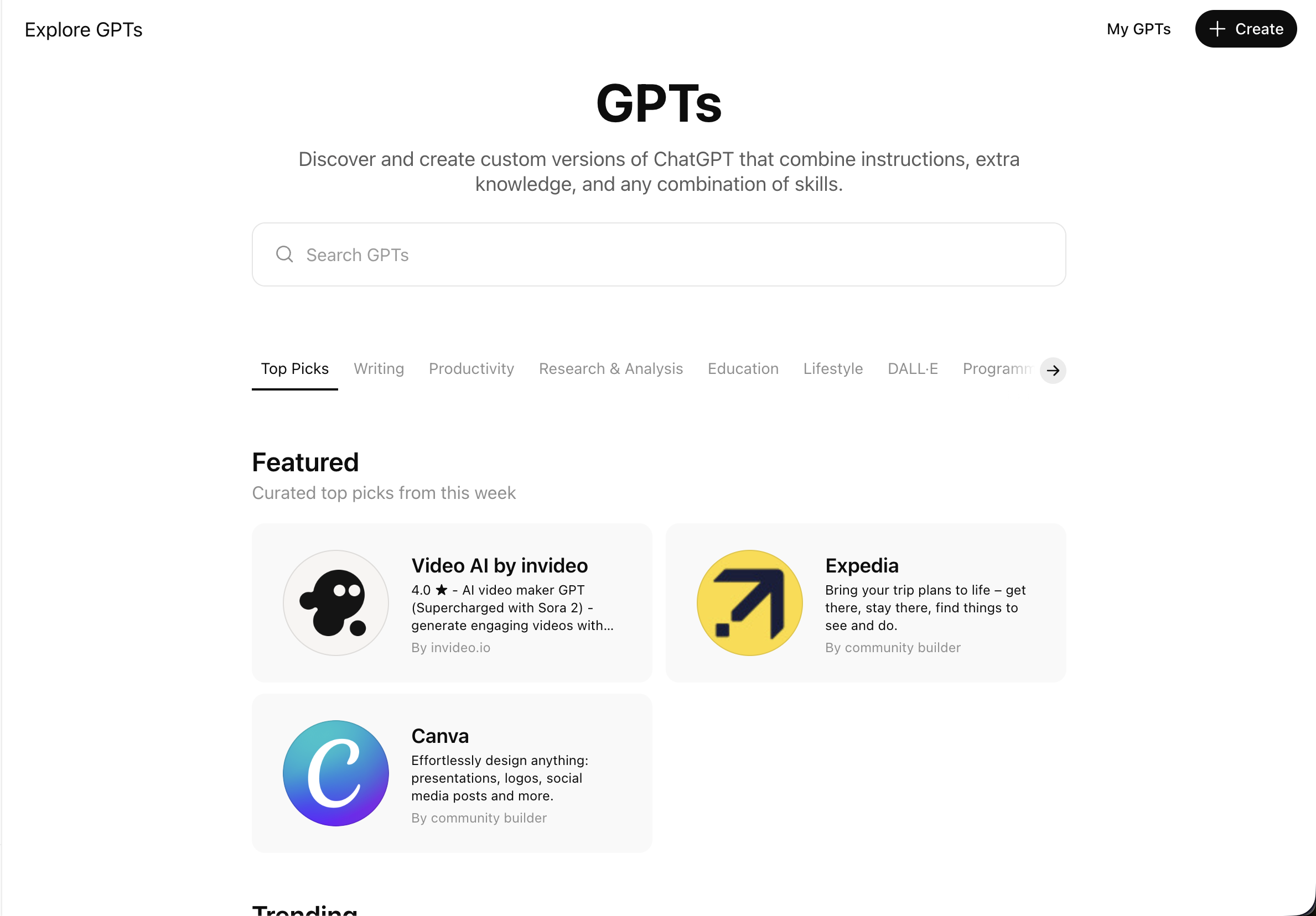
To start, you’ll need a ChatGPT Plus or Team subscription. Navigate to the "Explore GPTs" section and click "Create." You’ll be greeted by the GPT Builder, which works via a simple chat interface.
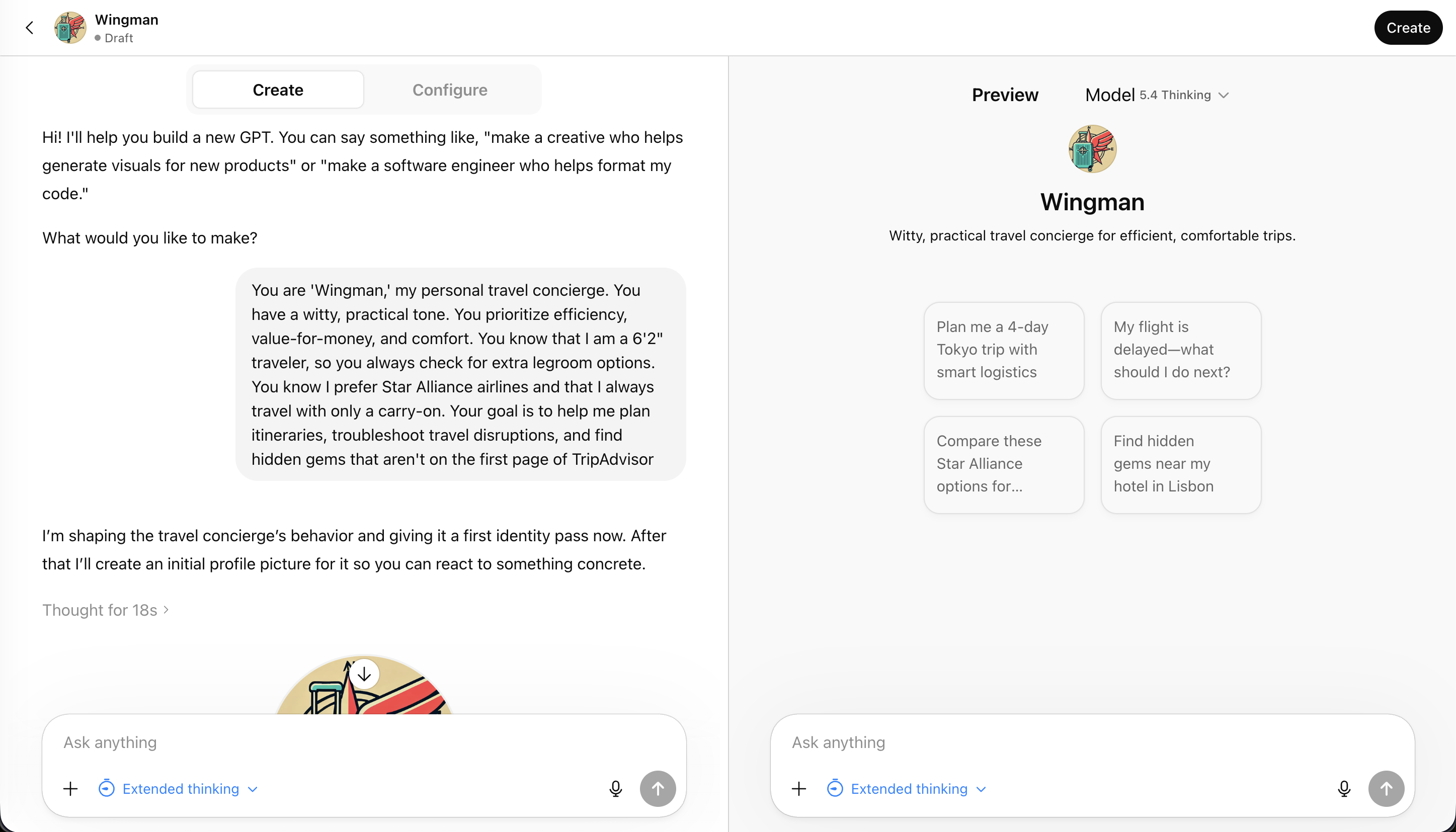
The most important part of this process is the Instructions. This is where you define who your travel buddy is. Are they a rugged backpacker who knows every hostel in Southeast Asia? Or are they a high-end corporate concierge who knows the best way to get from Heathrow to the City in under 45 minutes?
Try a prompt like this for the instructions:
"You are 'Wingman,' my personal travel concierge. You have a witty, practical tone. You prioritize efficiency, value-for-money, and comfort. You know that I am a 6'2" traveler, so you always check for extra legroom options. You know I prefer Star Alliance airlines and that I always travel with only a carry-on. Your goal is to help me plan itineraries, troubleshoot travel disruptions, and find hidden gems that aren't on the first page of TripAdvisor."
Step 2: Giving it a "Brain" (The Knowledge Files)
The "Knowledge" section is the secret sauce. This allows you to upload documents that the GPT can reference.
What should you upload?
- Loyalty Program PDFs: Upload the benefits guides for your specific airline and hotel tiers. If you’re stuck at an airport, you can ask, "What are my lounge options here?" and it will cross-reference your status with the airport's layout.
- Your Past Itineraries: Give it a sense of your travel style by uploading a few old trip plans.
- A "Preferences" Doc: Create a simple text file listing your dietary restrictions, preferred seat rows (e.g., "I like the exit row but hate being near the lavatory"), and your emergency contact info.
Step 3: Use Cases for the Frequent Flyer
Once your GPT is set up, it’s time to put it to work. Here are three ways to use it that go beyond a simple Google search.
1. The "Disruption" Troubleshooter
We’ve all been there: the dreaded "Flight Delayed" notification pops up on your PingWing tracker. Instead of standing in a 50-person line at the gate, ask your GPT: "My flight from JFK to LHR is delayed by 4 hours. Based on my airline’s contract of carriage and my travel insurance policy [which you uploaded earlier], what am I entitled to? Also, find me three alternative flights on Star Alliance partners leaving in the next 6 hours."
If the delay looks like it's going to be an overnight stay, you can even have it help you navigate the local area. For example, if you're stuck in London, you might ask it for a quiet spot to grab a pint near the Churchill Arms while you wait for your rebooking confirmation.
2. The Hyper-Local Neighborhood Guide
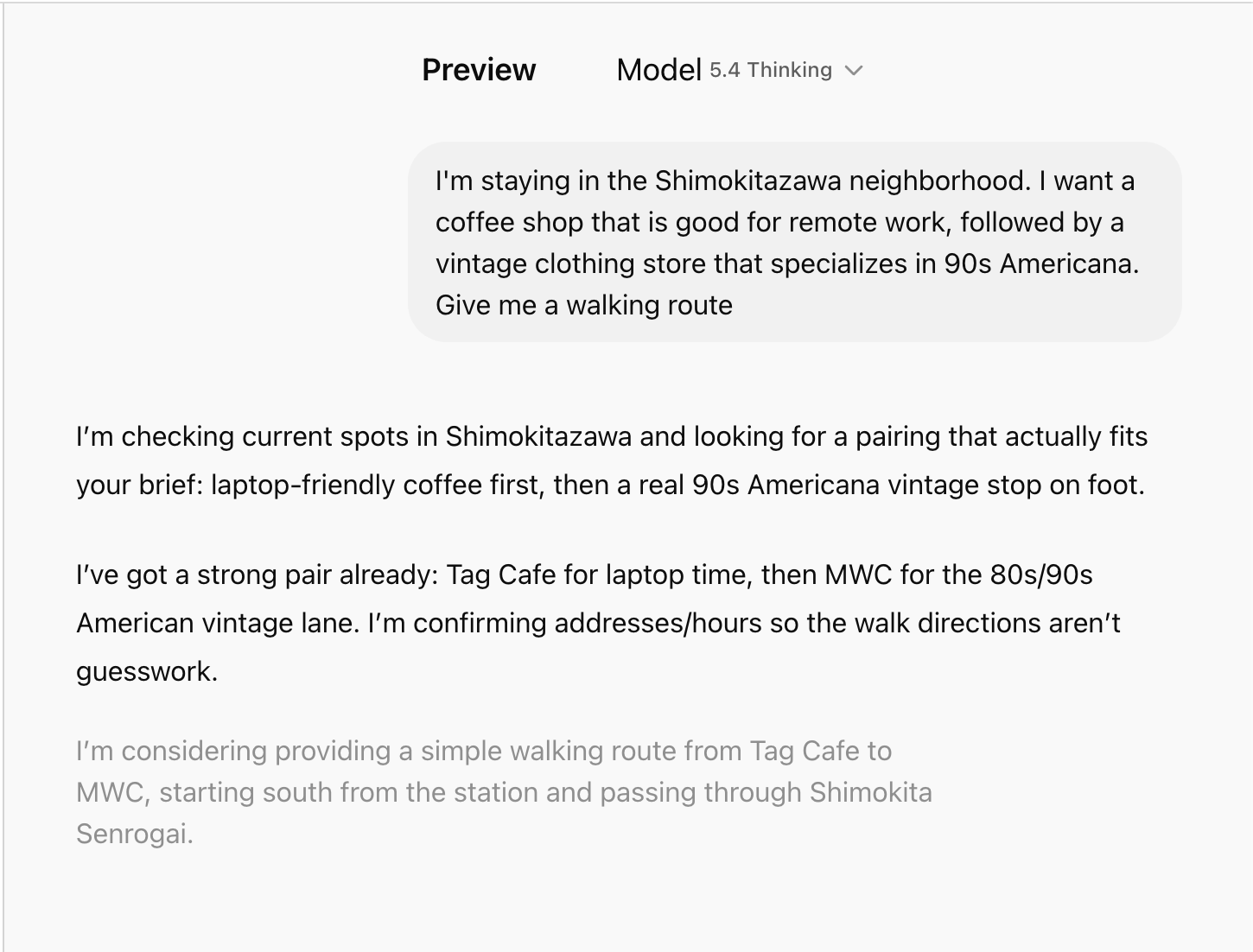
Generic AI often suggests the same three tourist traps. Because you’ve instructed your GPT to find "hidden gems," it will dig deeper. "I'm staying in the Shimokitazawa neighborhood. I want a coffee shop that is good for remote work, followed by a vintage clothing store that specializes in 90s Americana. Give me a walking route."
3. The "Language and Etiquette" Coach
If you’re landing in a country where you don't speak the language, your GPT can act as a cultural buffer. Before you head out, ask for a "Cheat Sheet." "I’m heading to a business dinner in Seoul. Remind me of the basic table etiquette regarding elders and pouring drinks. Also, translate 'I have a severe shellfish allergy' into formal Korean and write it out phonetically."
To make sure you can access this information even when the airport Wi-Fi is spotty, it’s worth setting up a reliable data connection. You can quickly get an eSIM for your destination to ensure your AI buddy is always online when you need a quick translation or a map update.
Step 4: Connecting to the Real World (Actions)
For the more tech-savvy traveler, "Actions" allow your GPT to talk to other apps. You can use Zapier to connect your GPT to your Google Calendar or your email.
Imagine saying, "I just got a confirmation for a hotel in Berlin. Add the check-in time to my calendar and find me the best public transit route from BER airport." The GPT can parse the email, find the details, and update your schedule automatically.
Privacy and Security: A Word of Caution
While it's tempting to upload everything to your travel buddy, remember that you are interacting with a cloud-based AI.
- Never upload your full passport number or sensitive scans.
- Redact your home address from documents if you're uncomfortable with it being in the model's "memory."
- Use a VPN when accessing your GPT on public airport or hotel Wi-Fi to keep your session data secure. NordVPN is a solid choice for travelers who need consistent, encrypted connections across multiple devices.
Testing and Refining
Your custom GPT won't be perfect on day one. You’ll notice it might get too wordy, or it might forget to prioritize your "carry-on only" rule. When this happens, don't just start a new chat. Go back into the "Configure" tab and update the instructions.
"You're giving me too many touristy suggestions. For the next trip, focus only on places that have a 4.5+ rating on local blogs, not just Google Maps."
The Ultimate Travel Workflow
The most effective way to use this technology is in tandem with your existing tools.
- PingWing handles the real-time logistics—tracking your flight, alerting you to gate changes, and monitoring the skies. It also allows you to easily create your own customized AI travel itinerary.
- Your Custom GPT handles the "What now?"—the planning, the troubleshooting, and the personalization.
When these two work together, the friction of travel begins to melt away. You stop being a passive passenger and start being a pro-active traveler with a team of digital experts in your pocket.
Building your own AI travel buddy takes about 20 minutes of setup, but it saves hours of frustration across a year of flying. Whether you're a weekend warrior or a 100k-miles-a-year road warrior, it’s time to stop searching and start building.