
About PingWing
Real-time flight tracking, AI itinerary planning, smart alerts, saved trips, and a personal flight logbook.
PingWing is a flight companion for the whole trip lifecycle: live tracking before departure, timely alerts while you travel, and a personal logbook after you land. It works in the browser, can be installed as a Progressive Web App, and saves your tracked flights so your travel history builds automatically over time.
What PingWing does
✈️
Live Flight Tracking
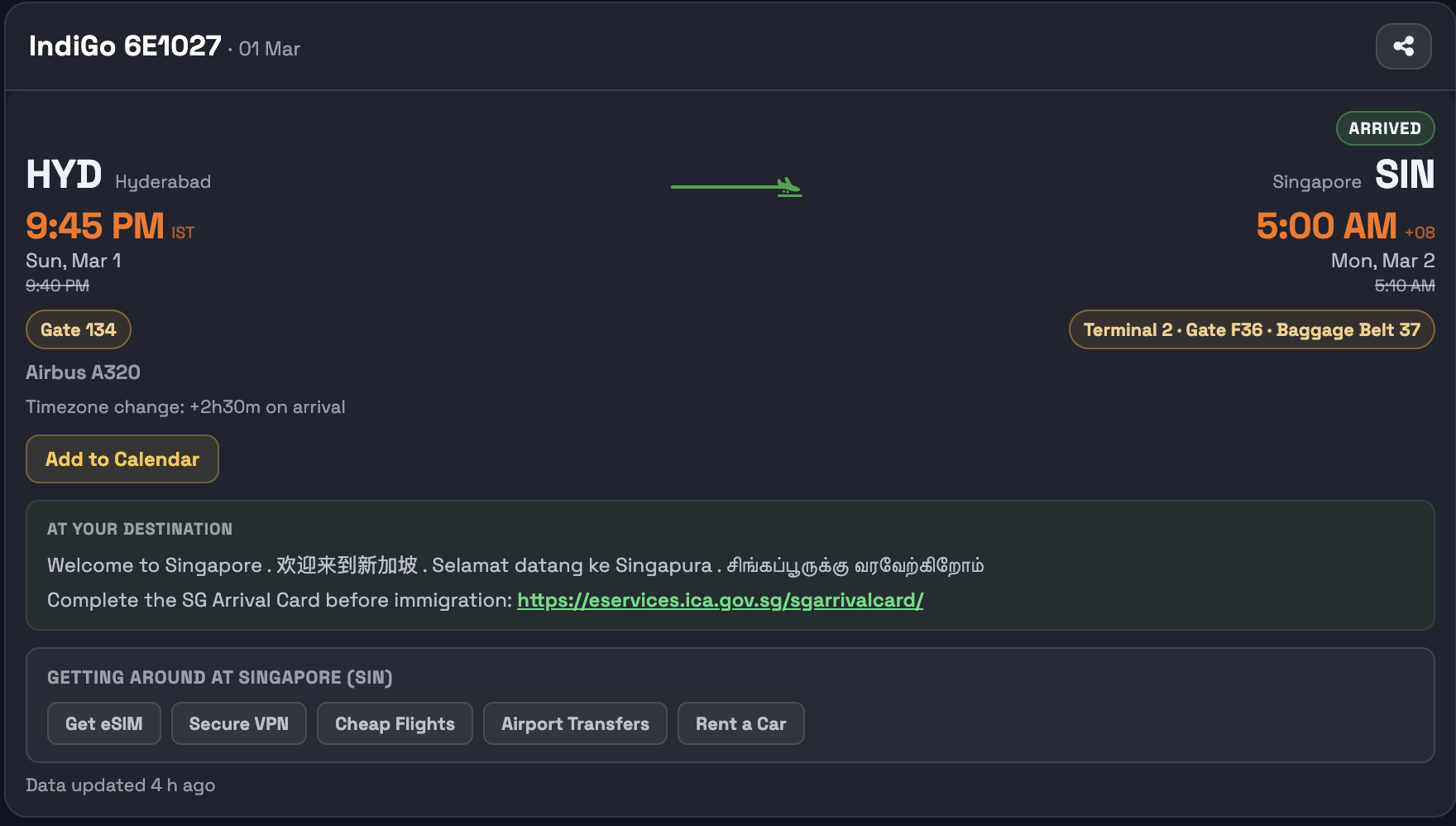
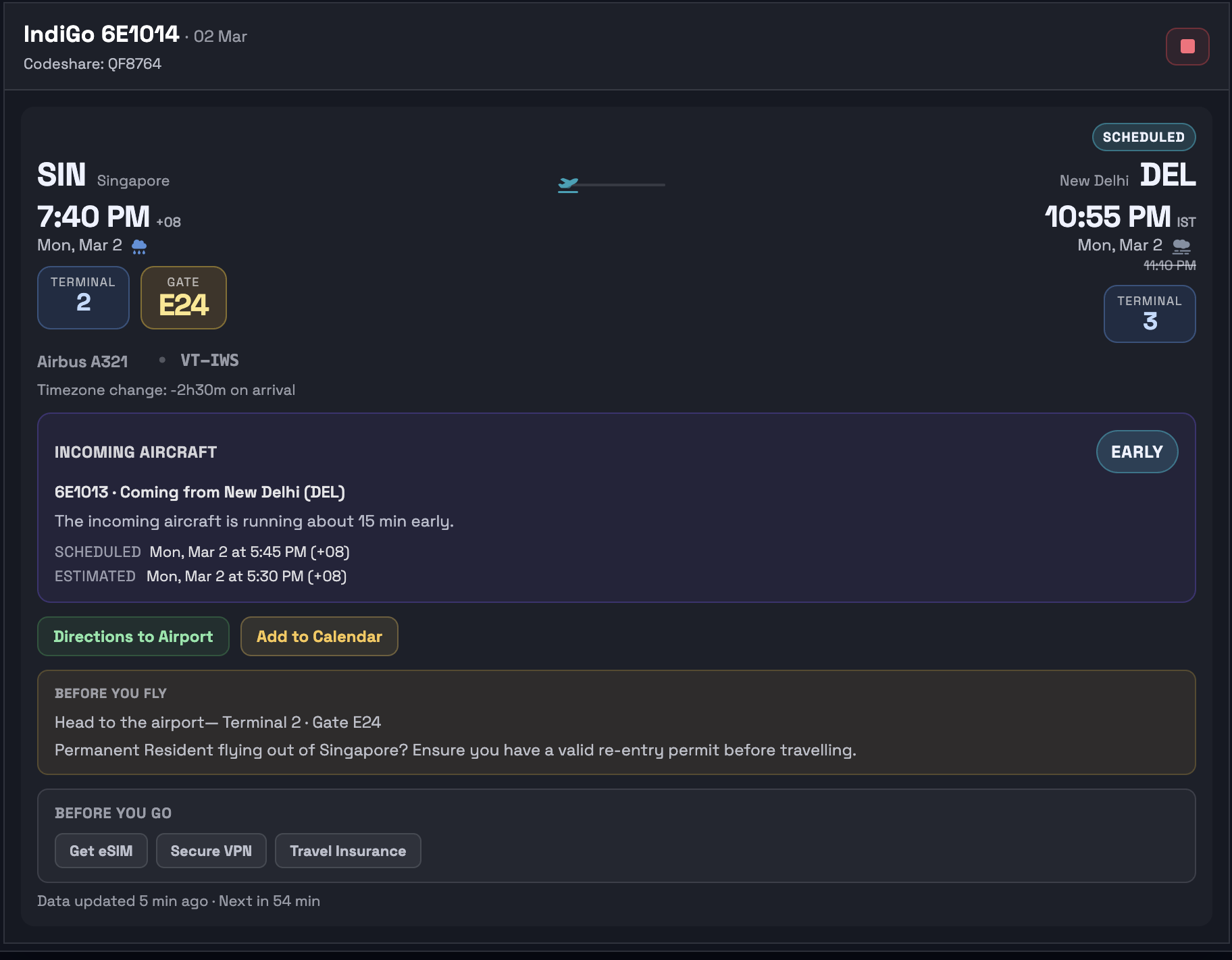
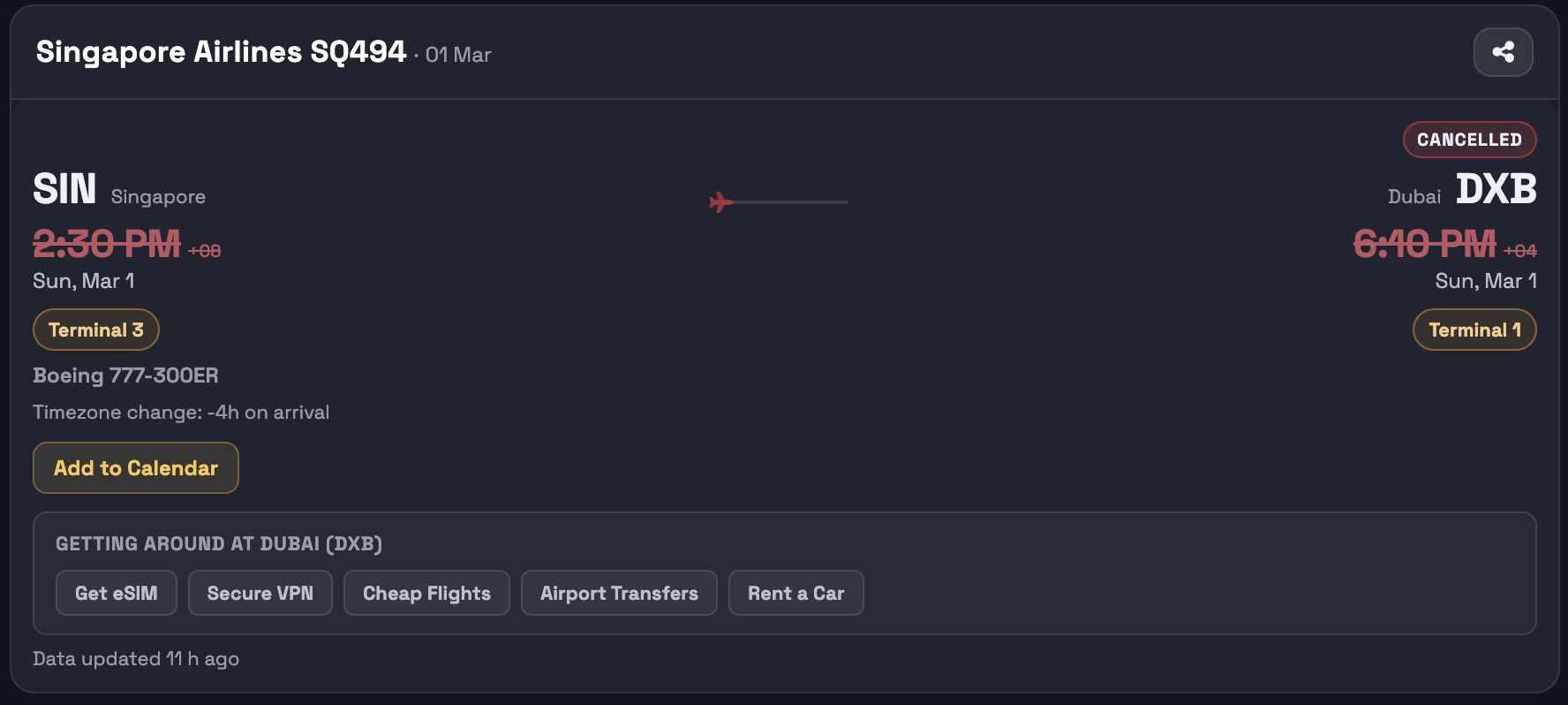
Departure, arrival, gate, terminal and flight status updated in real time.
🔔
Timed Push Alerts
Up to 9 alerts per flight — day before, pre-departure, and post-landing — via browser push or Telegram.
🎫
Boarding Pass Scan
Upload a PDF or snap a photo of your boarding pass or e-ticket and PingWing fills in the details automatically.
🚪
Gate & Delay Notices
Alerts include gate number, terminal, and departure delay so you always know where to go and when.
📘
Personal Flight Logbook
Completed trips roll into your logbook with yearly stats, top airlines, aircraft, destinations, and route maps.
🧠
AI Itinerary Planner
Generate day-by-day plans with pacing, practical transport flow, and shareable/exportable itinerary pages.
🗺️
Destination Tips
Airport-specific advisories before you fly (visa requirements, arrival cards) and city transport tips on landing.
🔗
Shareable Flight Links
Every tracked flight gets a public URL you can share with anyone waiting for your arrival.
🛬
Incoming Aircraft Tracking
PingWing watches the plane that will operate your flight and tells you if it's running early or late — often before the airline updates its own app. If the inbound leg is delayed, you'll know your departure is at risk before you leave for the airport.
🧳
Saved Flights, Multi-Leg Trips & Shareable Pages
Save flights to your account, track multi-leg journeys and future trips, and share a live flight page with family, friends, or anyone waiting on the other end.
See it in action



How it works
1
Enter your flight
Type a flight number and date, or scan a boarding pass / e-ticket PDF or photo. PingWing fetches live data instantly.
2
Sign in for alerts
Sign in with Google to save flights to your account, build your logbook, and enable push notifications or Telegram alerts. No app needed — your browser is enough.
3
Get notified at the right time
PingWing sends alerts automatically before, during, and after your flight, then keeps the completed trip in your logbook so your travel history is easy to revisit.
Sign in from the home page to save flights, build your logbook, and enable alerts.
Not receiving notifications? See the setup guide →
Created by Mihir