
The AirTag Share Hack: How to Send Your Luggage GPS Directly to the Airline This Week
A new 2026 software update finally lets you generate a secure link to share your lost bag’s live location with ground staff.
The AirTag Share Hack: How to Send Your Luggage GPS Directly to the Airline This Week
The baggage carousel at London Heathrow’s Terminal 5 is a place where hope goes to die. You watch the same black hardshell suitcase circle three times, then four, then the belt jerks to a halt. The screen switches to "All Bags Delivered." But your bag—the one containing your suit for tomorrow’s presentation or your gear for a week in the Dolomites—is nowhere to be seen.
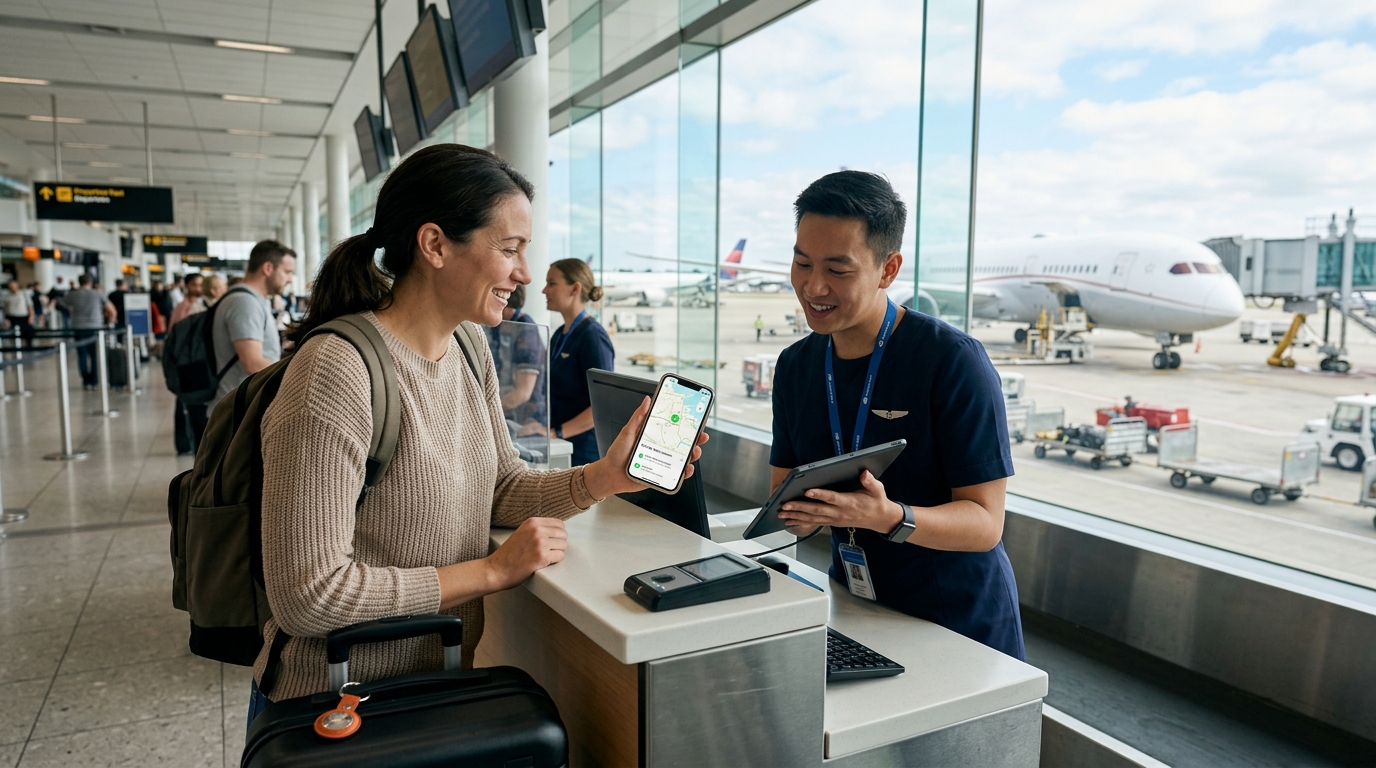
Until now, the "AirTag Advantage" was a one-way street. You could see your bag sitting in a rainy corner of the tarmac at Charles de Gaulle, but the agent behind the plexiglass at JFK would insist their system showed it "in transit." You’d hold your iPhone up to the glass, pointing at the little blue dot, and they’d shrug. They couldn't take your phone. They couldn't verify your data.
That changed this week. Following Apple’s official rollout of the "Share Item Location" feature in September 2026, you can now generate a secure, temporary tracking link and send it directly to airline ground staff. This isn't just a minor software update; it’s a shift in the power dynamic between the traveler and the carrier.
The Death of "We Don't Know Where It Is"
For years, airlines have hidden behind the limitations of their own internal scanning systems. If a ground handler misses a scan at a transfer point, the bag effectively ceases to exist in the airline's database. Your AirTag knew better, but you had no way to "officially" bridge that gap.
The new update allows you to create a link in the Find My app that opens in a web browser. This link shows the live location of your bag on a map, which the airline agent can open on their own terminal or tablet. It’s no longer your word against their database. It’s live GPS data versus a missing scan.
How to Execute the "Share Item Location" Hack
You don't need to be a tech genius to do this, but you do need to know where the button is hidden. Here is exactly how to send your bag’s GPS to an airline representative while you’re standing at the "Lost & Found" desk:
- Open the Find My app on your iPhone or iPad.
- Tap the 'Items' tab and select the AirTag inside your missing luggage.
- Scroll down to the new "Share Item Location" section.
- Tap "Generate Link."
- Set the duration. You can typically choose between 1 hour, 24 hours, or a week. For a lost bag, I recommend 24 hours.
- Copy the link.
Now, here is the critical part of the hack: Don’t just show it to the agent.
While the agent at the desk can look at it, you want this link inside your official claim file. Ask the agent for the airline's "Property Irregularity Report" (PIR) email address or their official WhatsApp/SMS support line. Paste that link into a message along with your PIR reference number. This forces the link into the digital paper trail of your claim. If your bag is truly lost and you eventually need to file for travel insurance reimbursement, you now have proof that you provided the airline with the exact location of the item, which they failed to recover.
The Privacy Guardrails
One reason Apple took so long to release this is the obvious privacy nightmare of letting strangers track your stuff. The 2026 update solves this with "Secure Expiry."
The link you generate is not a permanent backdoor into your location. Once the bag is reunited with your iPhone, the link automatically deactivates. Furthermore, the recipient can see the location on a map, but they cannot see your name, your phone number, or any other devices on your Find My network. If you notice the bag has been moved to a suspicious private residence—a common occurrence with "lost" bags that have actually been stolen—you can kill the link instantly from your phone.
Why This is a Game-Changer at Specific Hubs
Some airports are notorious "black holes" for luggage. If you’re flying through Frankfurt (FRA) or the chaotic basement of JFK Terminal 4, the ground handling staff are often overwhelmed.
Imagine you’ve just checked into your hotel, perhaps The Standard, High Line , only to realize your bags are still sitting at the airport. Instead of spending three hours on hold or taking a $70 Uber back to the terminal to "talk to someone," you can generate the link and DM it to the airline’s Twitter/X support team. In the 2026 landscape, major carriers like Delta, United, and Lufthansa have upgraded their backend systems to specifically accept these Find My links in their support chats.
The Counterintuitive Tip: The "Digital Paper Trail" Trap
Here is something most people won't tell you: The airline might try to ignore the link.
Some ground handling contracts actually prohibit staff from using "outside data" to locate bags. It sounds absurd, but it’s a liability issue. To bypass this, don't say, "Here is a link to my AirTag."
Instead, say: "I have generated a secure, Apple-verified location report for this piece of property. I am attaching it to my claim for your recovery team."
Using the phrase "location report" instead of "AirTag link" shifts the perception from "consumer gadget" to "verifiable data." If they refuse to look at it, make sure you record that refusal in your notes. It becomes incredibly useful when you're escalating your case for a lost baggage payout.
What if You Aren’t on Team iPhone?
While this specific "Share Item Location" feature is an Apple-first rollout, the industry is moving toward a unified standard. Google’s Find My Device network, which leverages billions of Android phones, is expected to introduce a "Share via Link" feature for trackers like Pebblebee and Chipolo by late 2026.
The strategy remains the same: stop treating your tracker as a private secret and start using it as a professional tool to assist (or pressure) the airline.
The Limits of the Hack
An AirTag is not a magic wand. It relies on the "Find My" network, which means it needs to be within Bluetooth range of someone’s iPhone to update its location. If your bag is sitting in a lead-lined container in the hold of a 777, the location will show as "Last Seen" at the departure gate.
Don't panic. The moment that container is cracked open by a ground handler with an iPhone in their pocket, the location will ping. That is the moment you refresh your link and send the update to the airline.
A Final Reality Check
We are living in an era where we often have better data than the multi-billion dollar companies we pay to transport us. This Apple update finally closes the gap between knowing where your bag is and doing something about it.
Next time you’re standing in that dismal line at the baggage office, don't just wait for them to tell you what their 1990s-era software says. Generate your link, send it to their support desk, and go get some dinner. You’ve done your part; now you’ve given them the map to do theirs.
If you're still worried about your gear, remember that the best defense is a good offense. Always take a photo of your bag’s "Share Item Location" screen and your physical bag before you hand it over. It’s the closest thing you have to a "Get Out of Jail Free" card in the world of modern aviation.